NP Mega Menu 1.0.0 Install Guide
A screenshot-based installation and first-use guide for category mega menus, highlighted links, and mobile accordion navigation on PrestaShop 8 and 9.
Package
Use vp_megamenu-1.0.0.zip for PrestaShop 8.x and 9.x stores.
Validated
The package passed unzip, PHP lint, old-brand scan, CDN scan, live checksum verification, API checks, and PS8/PS9 storefront screenshots.
1. Package File
- Package:
vp_megamenu-1.0.0.zip - Platform: PrestaShop 8.x and PrestaShop 9.x
- PHP: 7.4+
- SHA256:
152a29bdea45b7e523afc4f2d47ef2ea6102aabdc821e81d344a25353af9ca96 - Download: https://neuroplugin.com/downloads/vp_megamenu-1.0.0.zip
2. Install Steps
Open Module Manager
Log in to your PrestaShop backoffice and go to Modules -> Module Manager.
Upload the ZIP
Upload vp_megamenu-1.0.0.zip and install NP Mega Menu.
Review menu items
Open the module configuration page. The module auto-populates top-level categories on install; you can add categories, add custom links, move items, toggle active status, and mark links as highlighted.
Avoid duplicate menus
If your theme already renders PrestaShop’s default menu, disable or unhook it so shoppers see one primary navigation bar.
Open the storefront
Confirm the desktop catalog dropdown and mobile accordion both render correctly on the home page and category pages.
3. First Configuration
4. Frontoffice Validation
Open the storefront after configuration and validate these behaviors before treating the rollout as complete.
vp-megamenu markup{"success":true} with menu items5. Screenshots
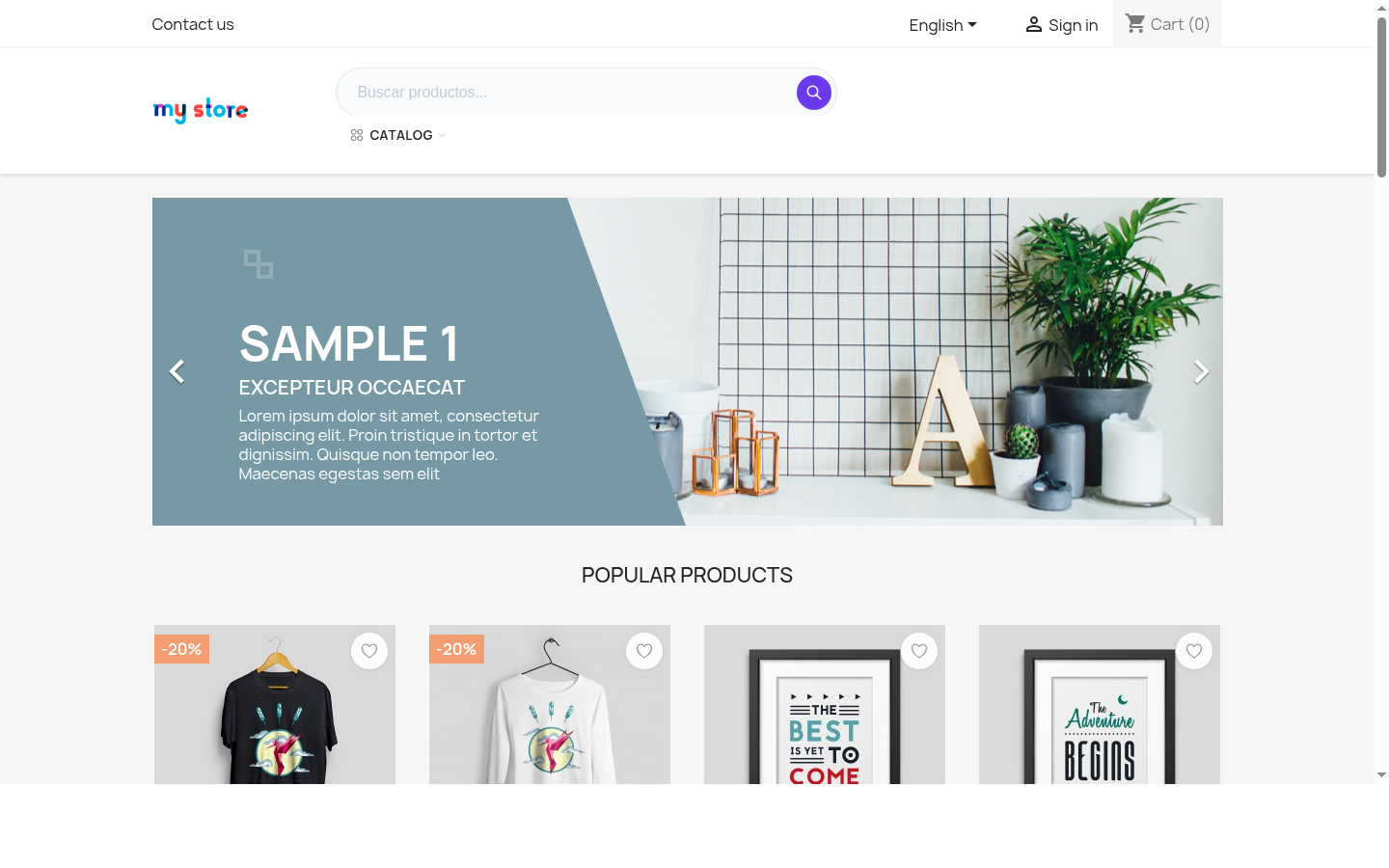 PrestaShop 8 desktop homepage with NP Mega Menu replacing the default main menu
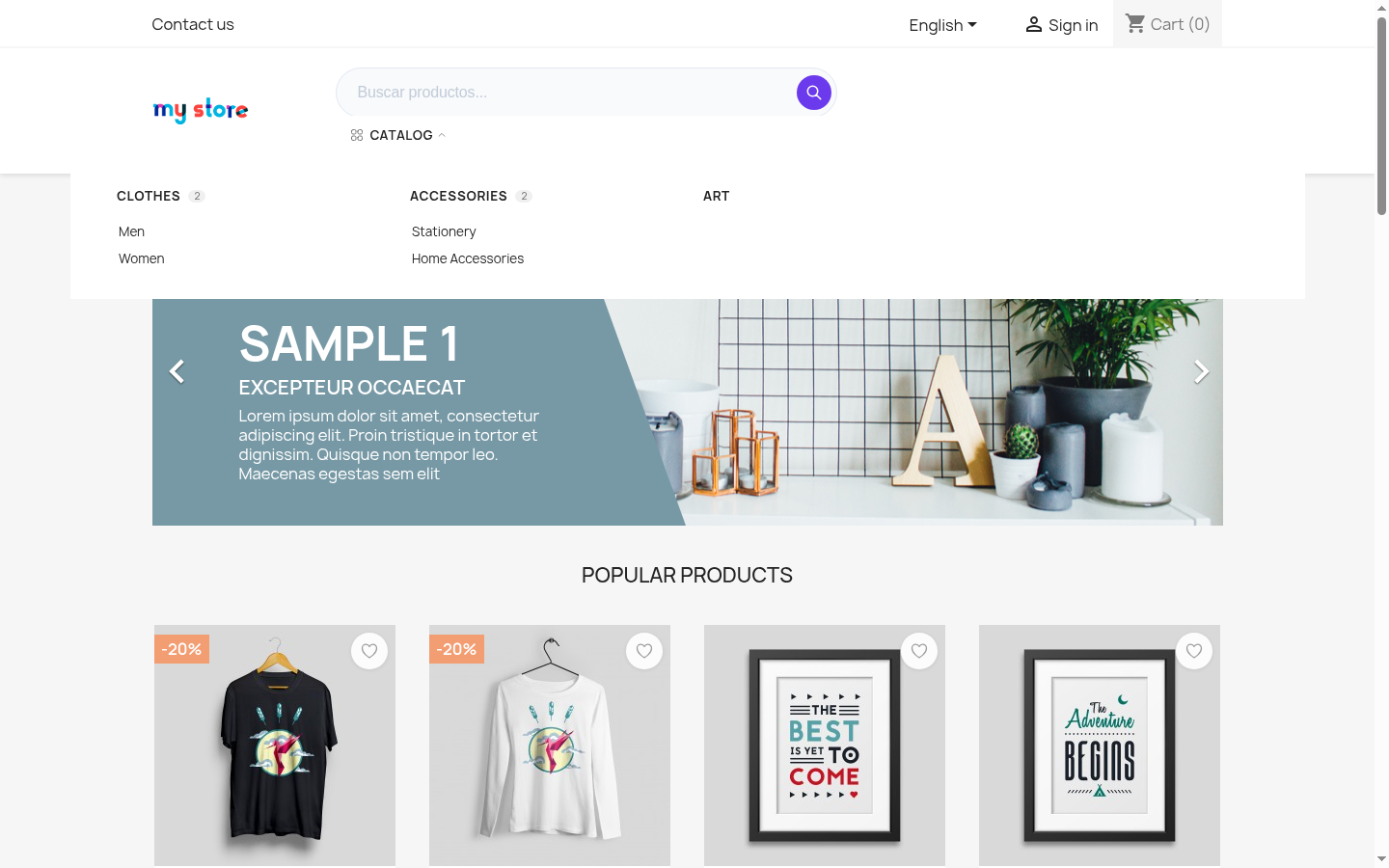 PrestaShop 8 desktop catalog dropdown
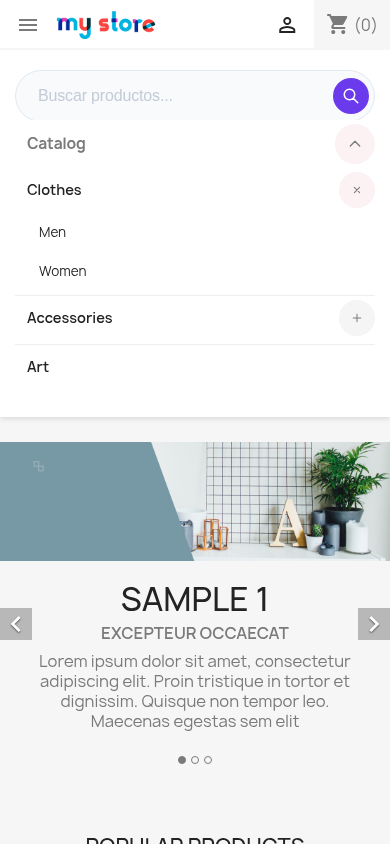 PrestaShop 8 mobile accordion expanded
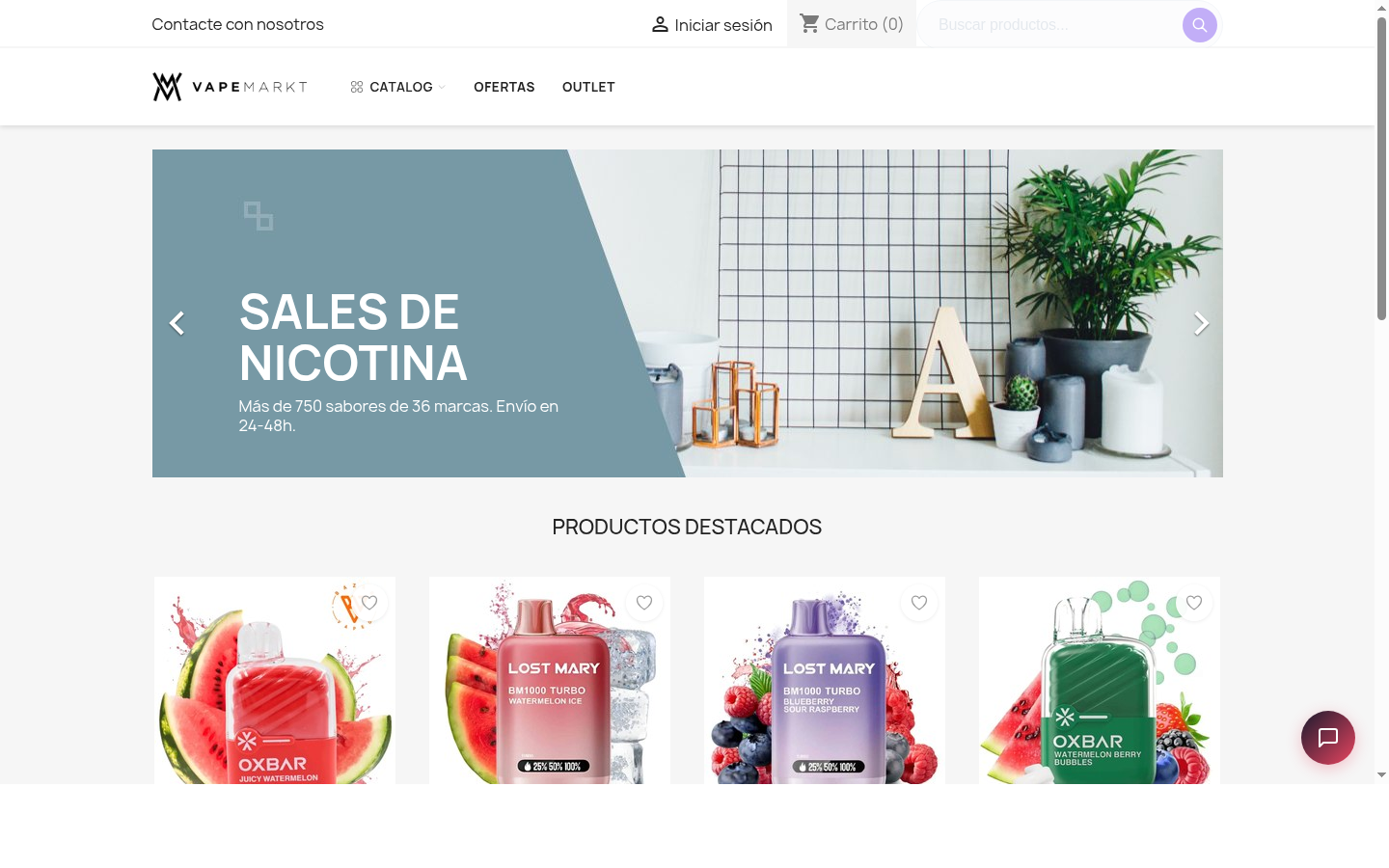 PrestaShop 9 desktop homepage with catalog and highlighted links
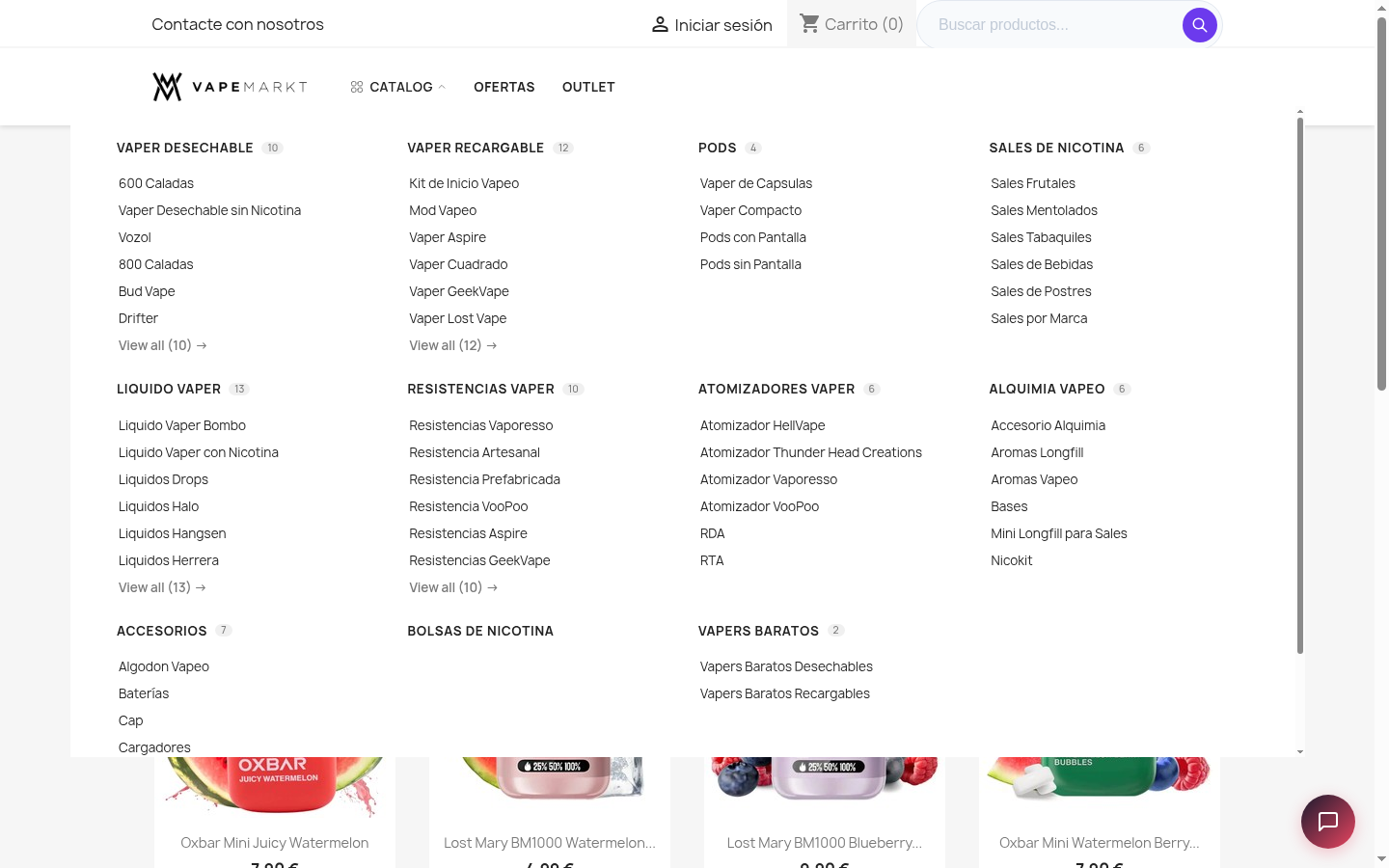 PrestaShop 9 desktop catalog dropdown
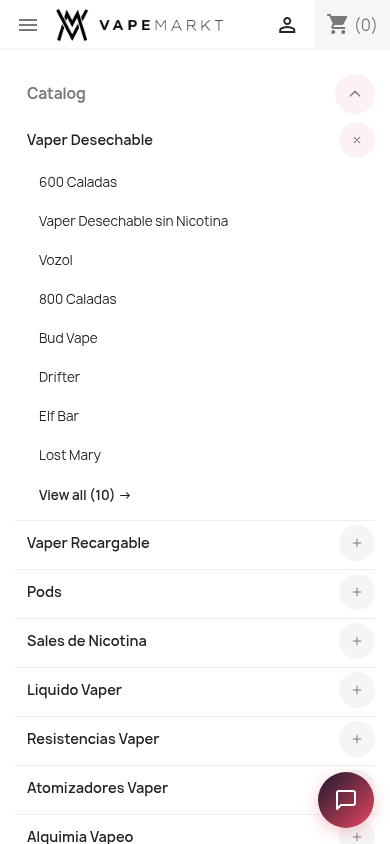 PrestaShop 9 mobile accordion expanded
6. Verified Result
unzip -tq packages/vp_megamenu-1.0.0.zippassed.- Package PHP lint passed.
- Public download checksum matches the repository package.
- Old VapStarter/VapeMarkt branding was removed from the release package.
- Runtime CDN scan returned no matches.
- PS8 and PS9 homepages returned 200 with NP Mega Menu markup present.
- PS8 and PS9 menu API endpoints returned successful menu payloads.