NP CrossSell Pro — turn every page into a revenue opportunity
Product page bundles, cart upsells, checkout nudges, and order-confirmation recommendations — powered by manual curation, order-history algorithms, campaign rules, and bundle discounts. No external AI, no SaaS dependency.
- ✓ 1 PrestaShop installation
- ✓ 12 months updates & support
- ✓ 30-day money-back guarantee
- ✓ Source code included
Upgrading from NP FBT 1.0.0? Install 2.0.0 over it — your existing product relations are preserved automatically. See the install guide for pricing scope, license, and support details.
Why merchants upgrade to CrossSell Pro
The 1.0.0 FBT module proved the concept — manual product-page bundles with one-click add-all. Version 2.0.0 extends it to every revenue-relevant surface in the shopping journey.
Four storefront placements
Product page, cart footer, checkout, and order confirmation — each with its own recommendation logic and layout optimised for that context.
Order-history recommendations
A local algorithm computes co-purchase pairs from your real orders. No external AI service, no data leaving your server.
Campaign rule engine
Target recommendations by category, brand, price range, customer group, language, shop, and stock level. Set priority and placement per campaign.
Bundle discounts
Apply percentage or fixed-amount discounts when customers add the full bundle. Discounts sync automatically with the PrestaShop cart.
Everything in the box
NP CrossSell Pro 2.0.0 ships as a single module with all features built-in — no add-on purchases, no SaaS plans, no external dependencies.
Manual curation
Pick related products per product from the admin product tab. The same workflow as 1.0.0, preserved on upgrade.
Analytics dashboard
Track impressions, clicks, add-to-cart, purchases, revenue, and AOV uplift by placement and campaign.
Campaign builder
Create global campaigns with rules, offers, discount tiers, and placement targeting from a dedicated admin page.
Safety filters
Hidden, inactive, out-of-stock, duplicate, and restricted products are automatically filtered before any recommendation reaches the storefront.
Multi-shop & multilingual
All data is scoped per shop. Translations work through PrestaShop’s standard translation interface.
CSV import/export
Bulk import or export product relations and campaign configurations for fast setup across stores.
Feature matrix — 1.0.0 vs 2.0.0
Everything in 1.0.0 is preserved and expanded. Existing FBT relations upgrade automatically.
| Capability | FBT 1.0.0 | CrossSell Pro 2.0.0 |
|---|---|---|
| Product page FBT section | ✓ | ✓ |
| Manual product curation | ✓ | ✓ |
| One-click add-all-to-cart | ✓ | ✓ |
| Total price display | ✓ | ✓ |
| Cart upsell placement | — | ✓ |
| Checkout upsell placement | — | ✓ |
| Order confirmation recommendations | — | ✓ |
| Order-history co-purchase algorithm | — | ✓ |
| Catalog fallback recommendations | — | ✓ |
| Campaign rule engine | — | ✓ |
| Bundle discounts (% and fixed) | — | ✓ |
| Analytics (impressions, clicks, revenue) | — | ✓ |
| Campaign builder admin page | — | ✓ |
| CSV import/export | — | ✓ |
| Product safety filters | — | ✓ |
| Multi-shop data isolation | — | ✓ |
| Accessibility & mobile optimization | Basic | Full WCAG 2.1 AA |
Quick fit check before you buy
Good fit if
- You run PrestaShop 8 or 9
- You want cross-sell and upsell without a SaaS subscription
- You need bundle discounts to incentivise larger orders
- You want recommendations based on real order history
- You sell complementary or accessory products
- You prefer source code you can audit and modify
Not a fit if
- You need AI-generated recommendations from external services
- You want A/B testing baked into the module
- You run PrestaShop 1.6 or 1.7
- You need WooCommerce or Shopify support (PrestaShop only)
Screenshots
Captured from the live PS8 and PS9 demo stores after full configuration with manual FBT, cart upsells, checkout upsells, and order-confirmation recommendations.
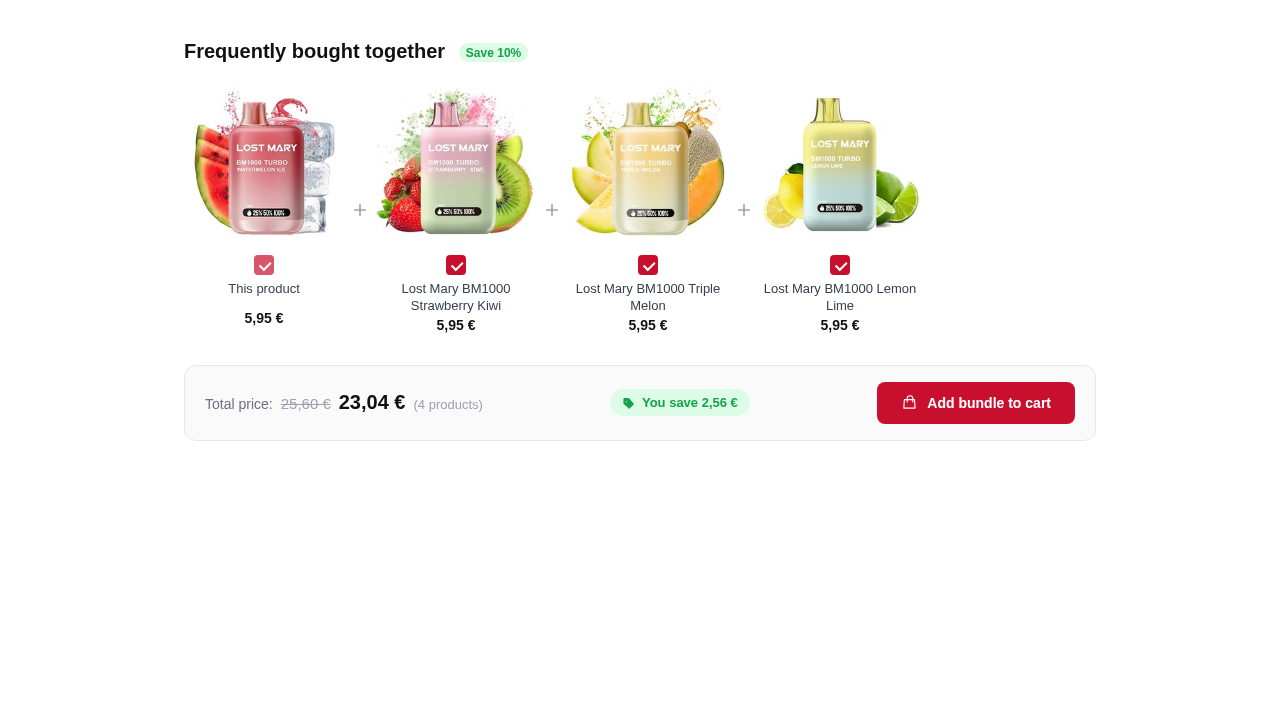 Product page — Frequently Bought Together section with total price and add-all CTA on PrestaShop 9
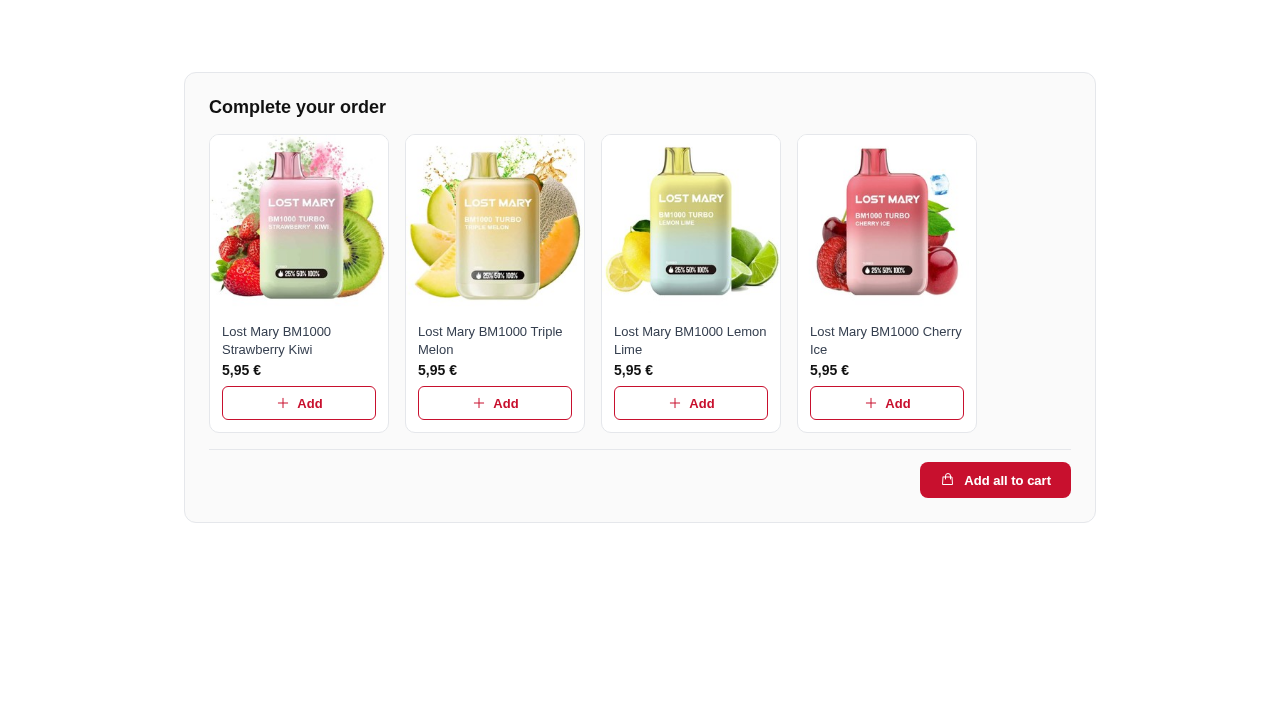 Cart page — upsell recommendations with quick-add buttons, filtered to exclude items already in cart
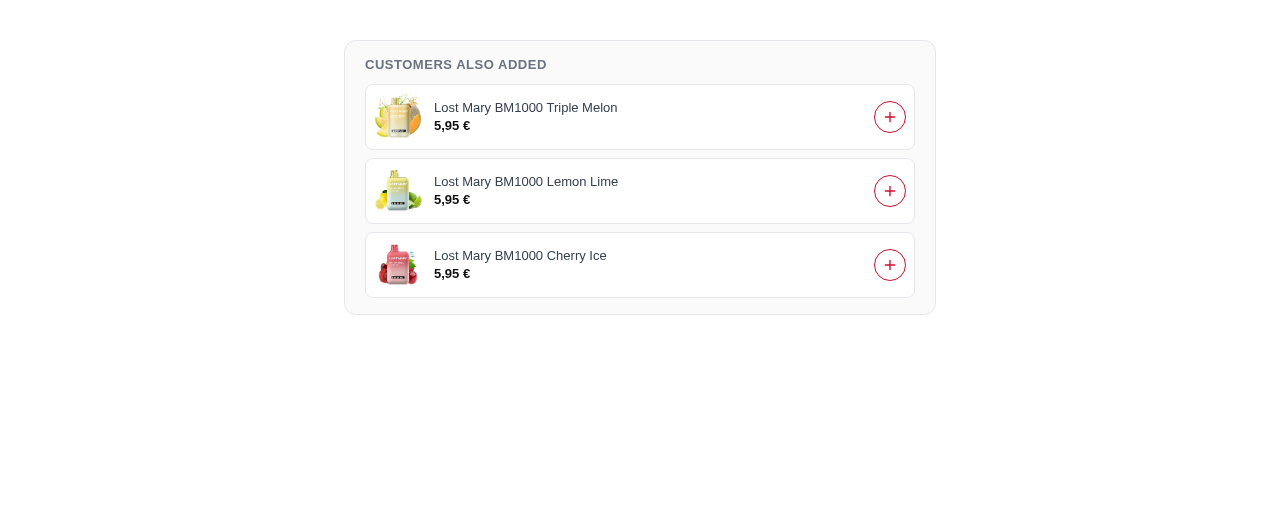 Checkout page — non-blocking upsell above the payment step, limited to 3 products
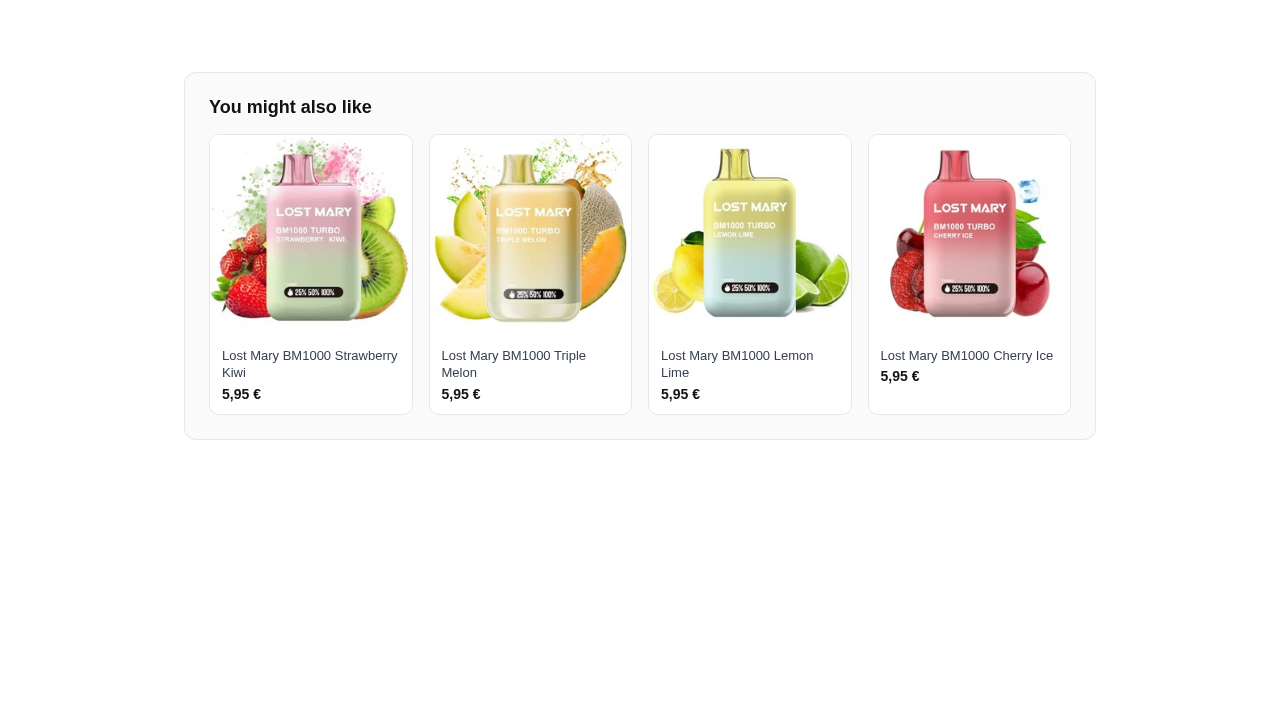 Order confirmation — read-only recommendations for the next purchase
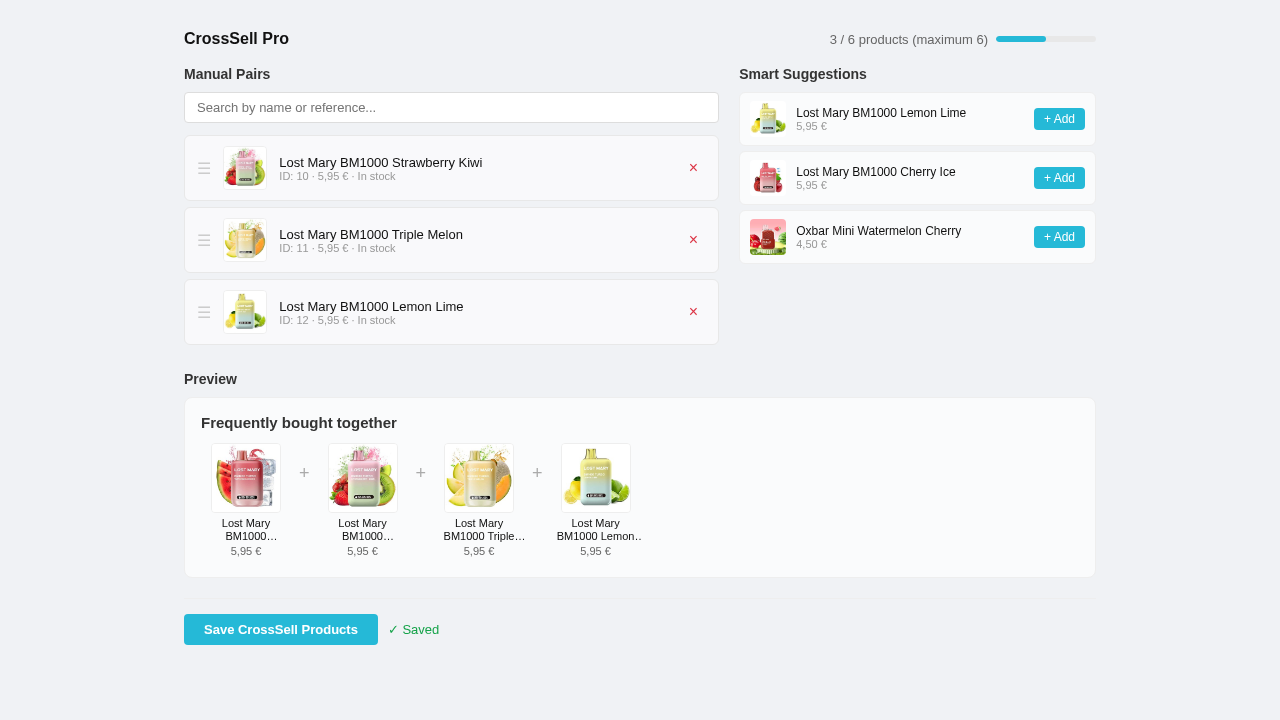 Admin product tab — manual FBT curation with product search and drag-to-reorder
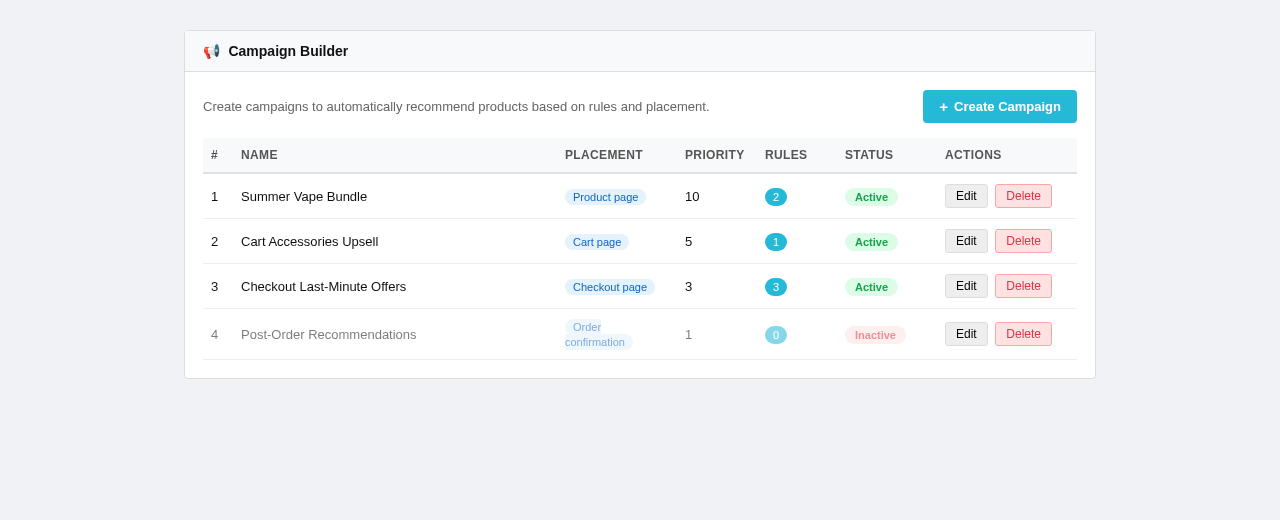 Campaign builder — rules, offers, discount tiers, placement targeting, and priority
Technical specs
2db972352e1a392f57317b55fecaf6125af58ed32af1dcd734121130e460d618See it in action
The live demos have NP CrossSell Pro installed with manual FBT, cart upsells, and order-history recommendations configured.
Buying questions
I already have NP FBT 1.0.0 installed. How do I upgrade?
Upload vp_fbt-2.0.0.zip through Module Manager. The upgrade script preserves your existing product relations and creates the new tables alongside them. Your current FBT sections keep working immediately.
Does the module use AI or send data to external services?
No. The order-history recommendation algorithm runs locally on your database. There are no calls to OpenAI, Claude, or any third-party API. All data stays on your server.
Can I use bundle discounts without the campaign system?
Yes. You can attach discounts directly to manual FBT relations. The campaign builder is an additional layer for stores that want rule-based targeting across categories, brands, or customer groups.
Does it work with multi-shop?
Yes. All tables are scoped by shop ID. Each shop has its own campaigns, relations, analytics, and recommendation data without cross-shop leakage.
What happens at checkout if a bundle discount is active?
Bundle discounts sync with the PrestaShop cart via the actionCartSave hook. If a customer removes a product that breaks the bundle condition, the discount is automatically removed.
What does the license include?
A lifetime license for one PrestaShop installation with 12 months of updates and support, source code included. The module keeps working after the update period expires. Multi-shop within the same installation is covered.
How do download and support work after purchase?
Your purchase delivers vp_fbt-2.0.0.zip through the Neuroplugin download area. Verify the SHA256 checksum above before installing, then use support or support@neuroplugin.com for installation, configuration, bug, or theme-conflict help during the 12-month support period.
What is the refund policy?
All purchases include a 30-day money-back guarantee. If the module does not work as described and the issue cannot be resolved through support, contact support@neuroplugin.com for a full refund.
Ready to buy or validate one last detail?
If you are ready, use the purchase controls above on this page. If not, go through demo, docs, or support first.