NP Search 2.6.2 Install Guide
A screenshot-based installation and first-use guide for the current PrestaShop 8 and PrestaShop 9 packages.
Package
Use the package that matches your store version. The PS8 package is restricted to PrestaShop 8.x and the PS9 package is restricted to PrestaShop 9.x.
Demo proof
The screenshots below were captured from the live PS8 and PS9 demo stores after the 2.6.2 admin polish and dashboard fix.
Validated
Both ZIP packages passed unzip checks, PHP lint, backoffice smoke, public download verification, and live dashboard screenshots.
1. Package Files
- PrestaShop 8:
npsearch-ps8-2.6.2.zip - PS8 SHA256:
faf7e6fad80a46fb289801f5d92fb1b80fe0eadc78626b92c3366ef59f43a331 - PrestaShop 9:
npsearch-ps9-2.6.2.zip - PS9 SHA256:
68ab08bb69f0de92f0ded58a8d22782a860ef335754481491368ff0fcc635625
2. Install Steps
Open Module Manager
Log in to your PrestaShop backoffice and go to Modules → Module Manager.
Upload the correct ZIP
Upload npsearch-ps8-2.6.2.zip on PS8, or npsearch-ps9-2.6.2.zip on PS9.
Install NP Search
Install NP Search – Smart Search. The module creates its tables, hooks, index, assets, and default synonyms.
Open configuration
Go to the module configuration page and confirm the plugin version, schema version, indexed product count, and vocabulary status.
3. Backoffice Setup
4. Frontoffice Validation
Open the storefront after installation and validate these behaviors before treating the rollout as complete.
npsearch.css?2.6.2 and npsearch.js?2.6.25. Screenshots
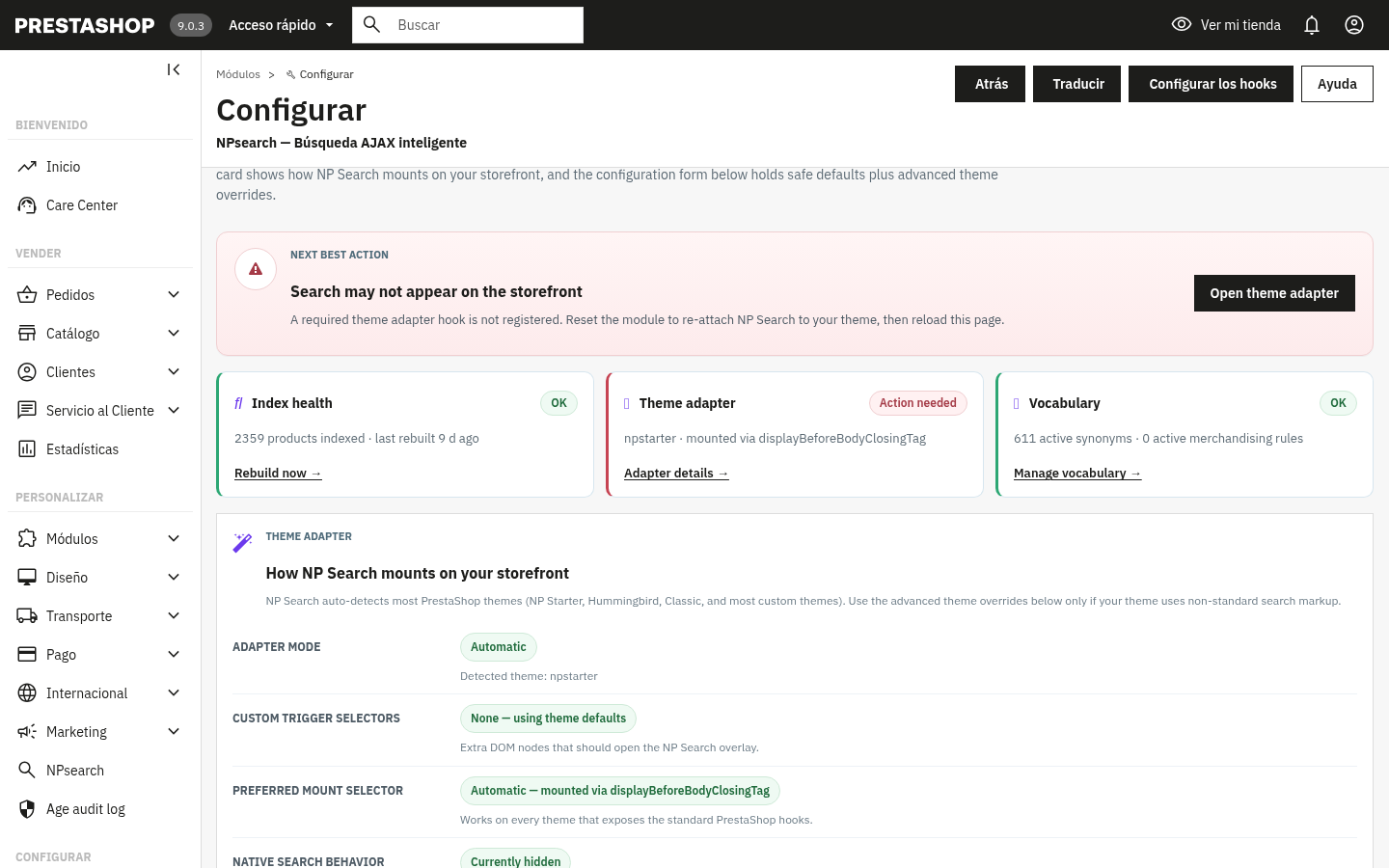 PrestaShop 9 setup workspace with index health, theme adapter, vocabulary status, and next-best-action guidance
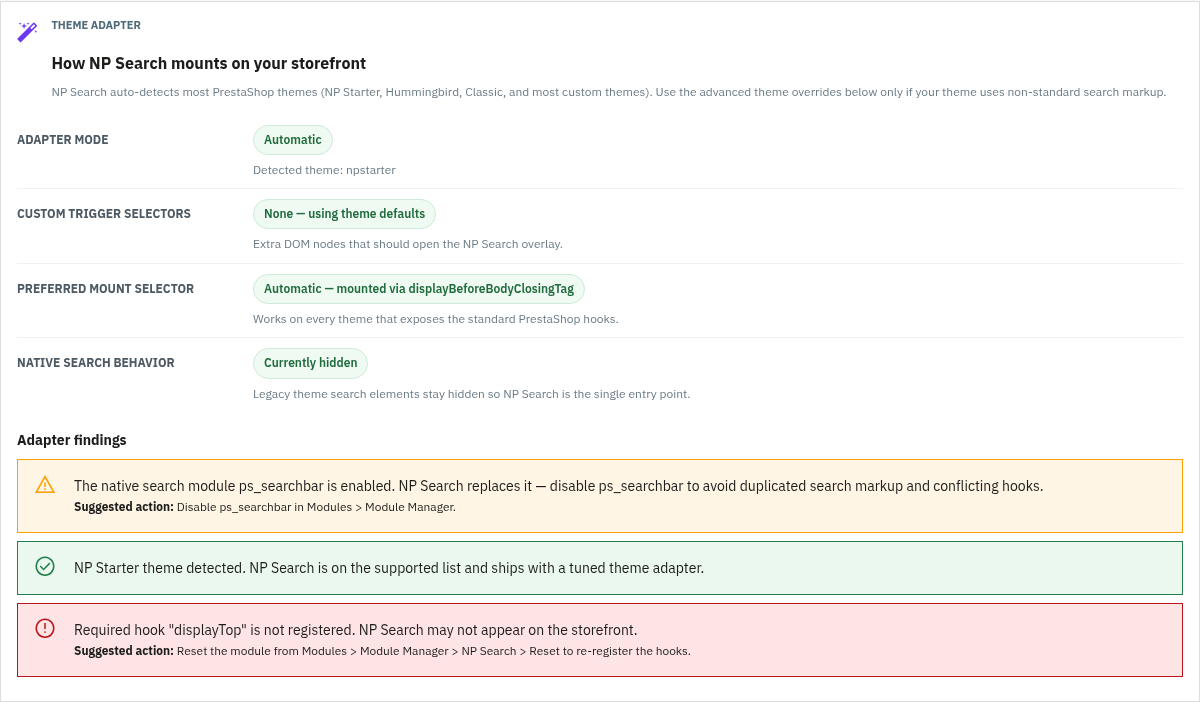 Theme adapter diagnostics for Classic, Hummingbird, NP Starter, and custom selector setups
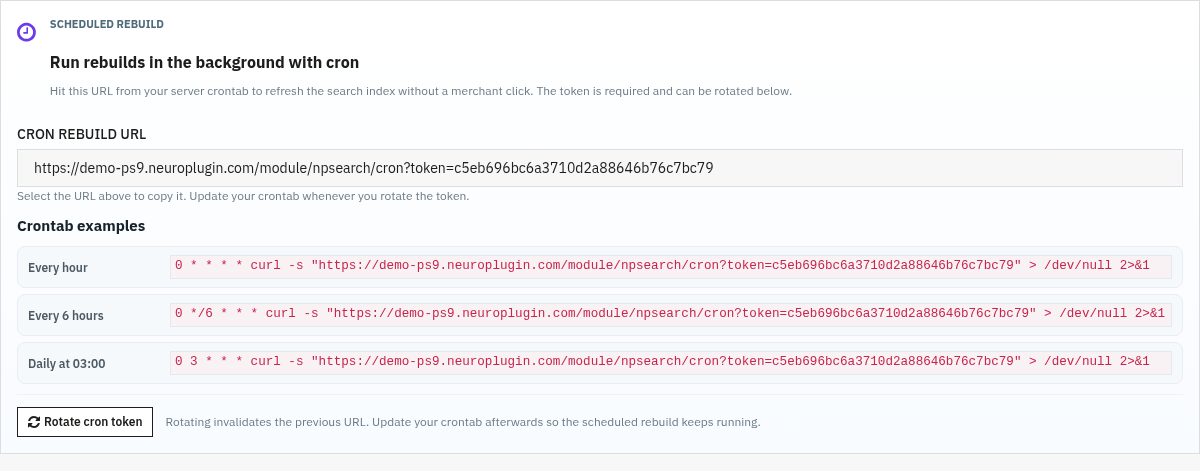 Cron presets and rotate-token control for keeping the search index fresh
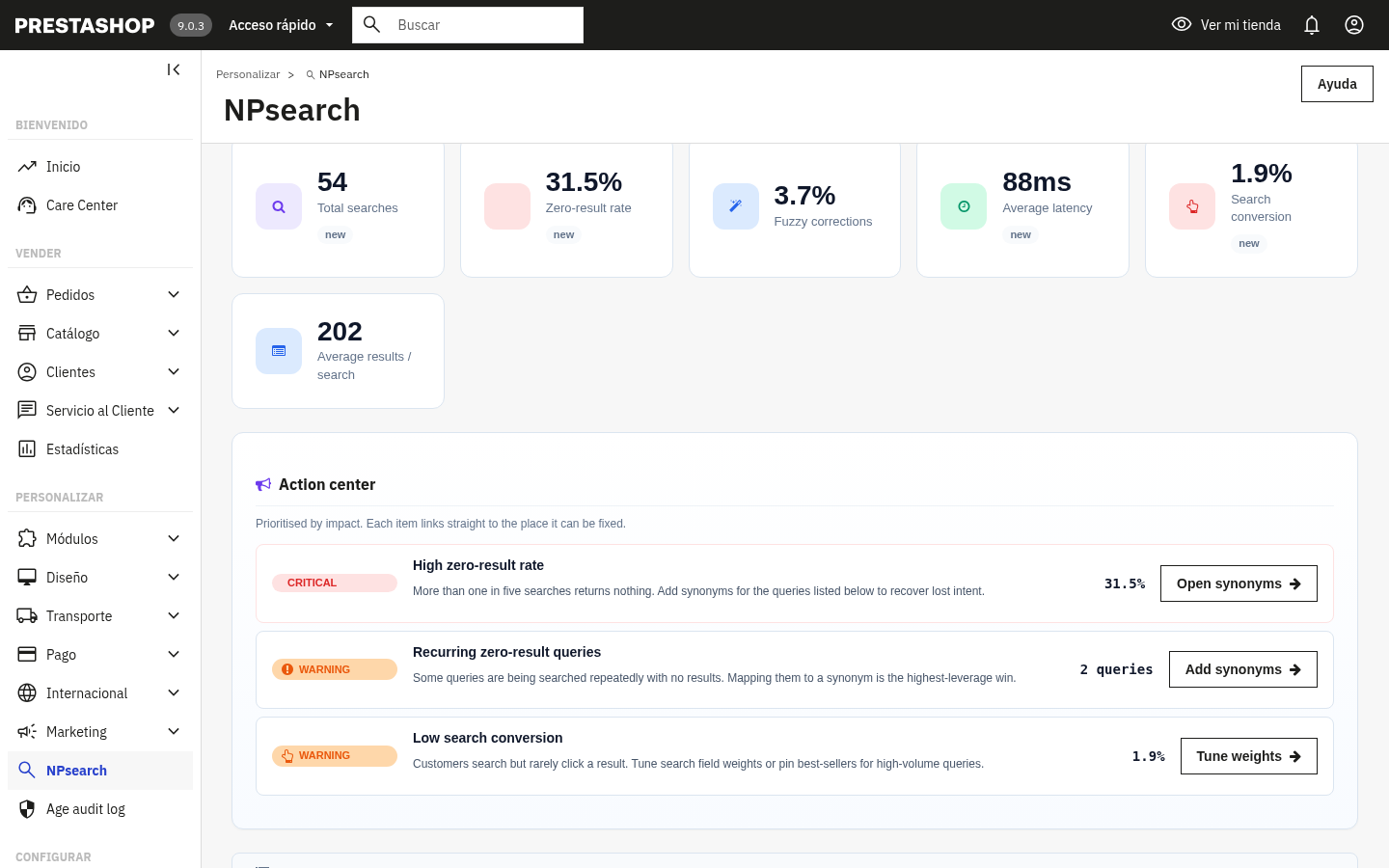 Analytics dashboard with KPI strip and Action Center priorities
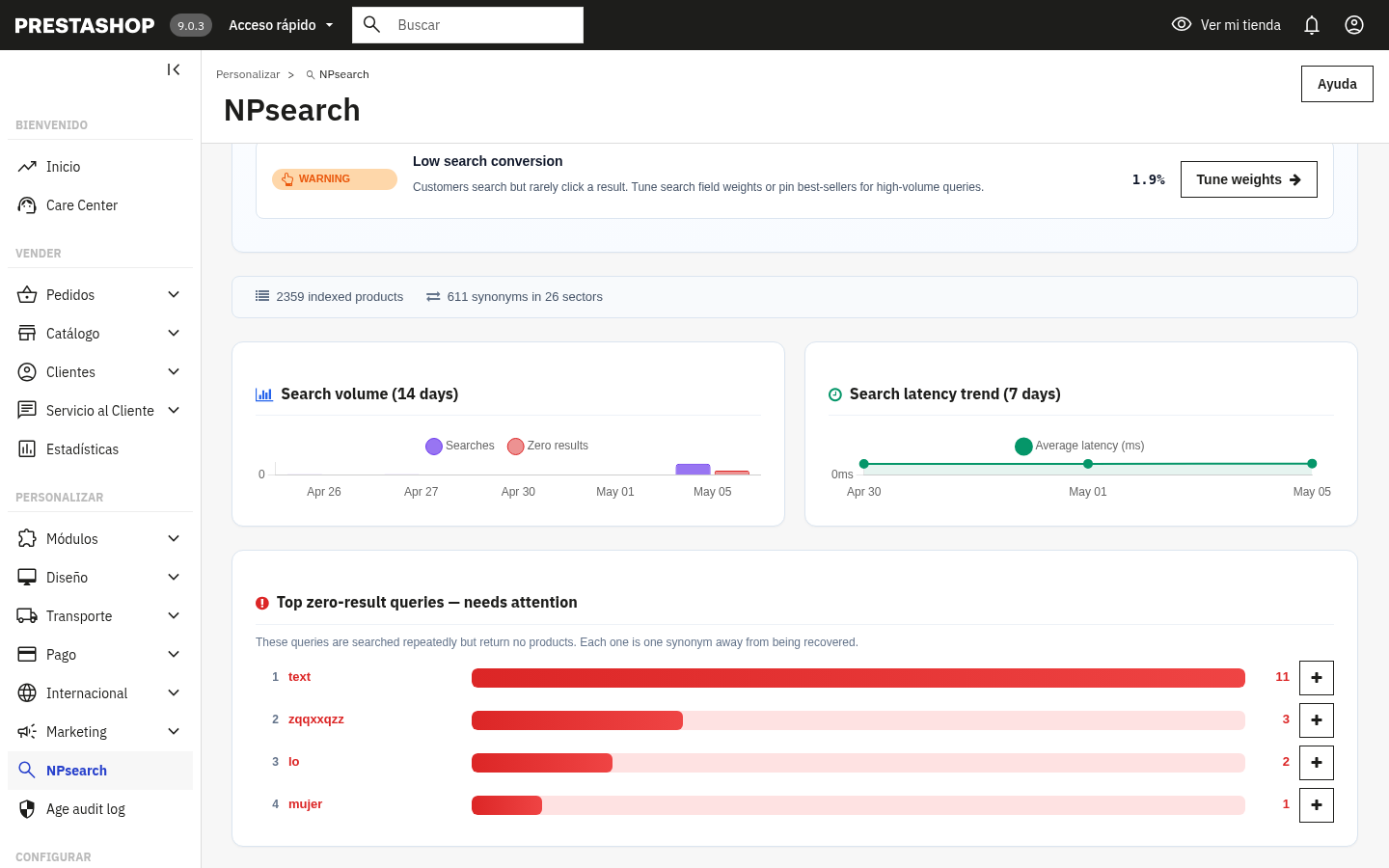 Search volume and latency charts for daily monitoring
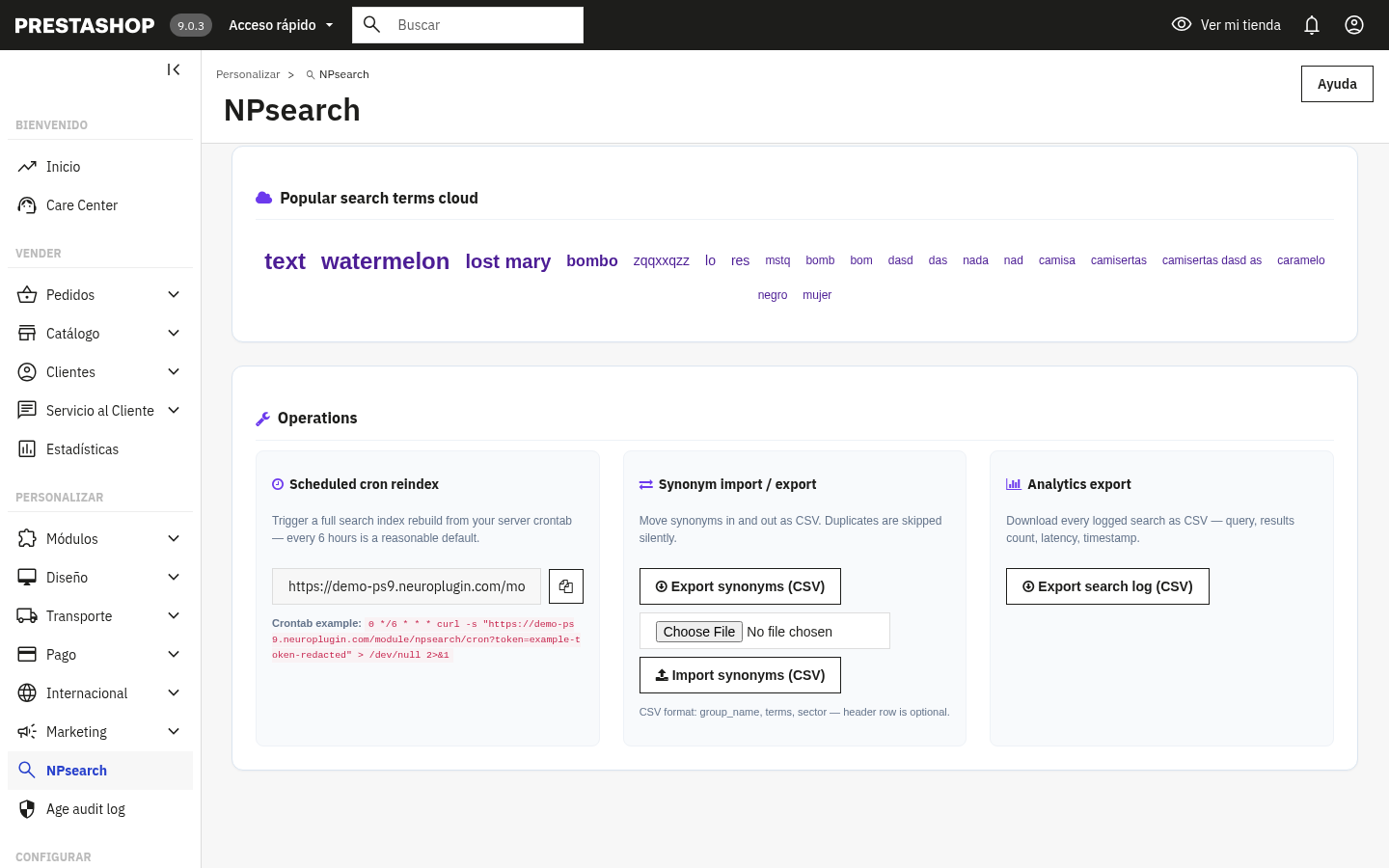 Operations panel with redacted cron example, synonym import/export, and analytics CSV export
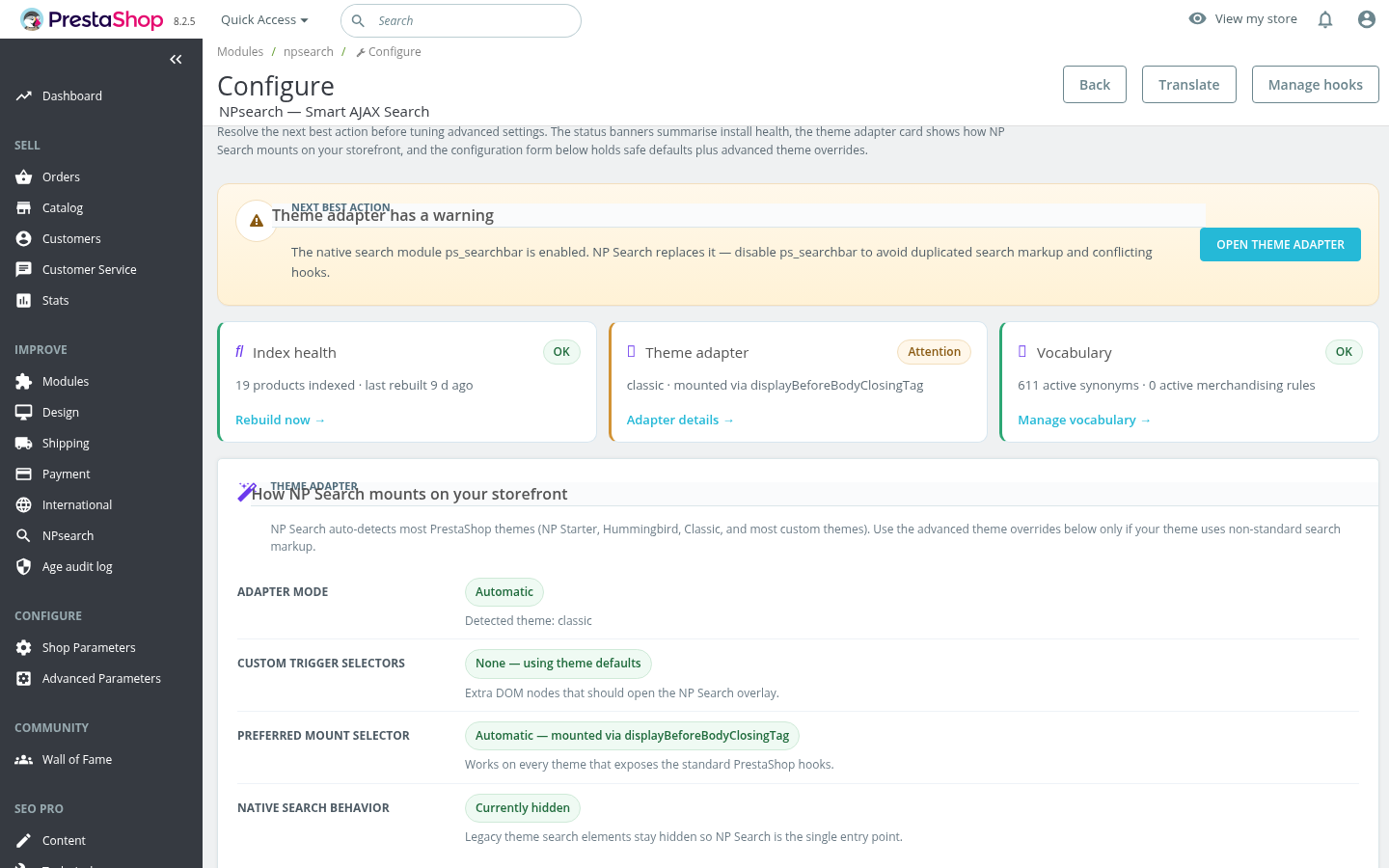 PrestaShop 8 setup workspace proof using the dedicated PS8 package
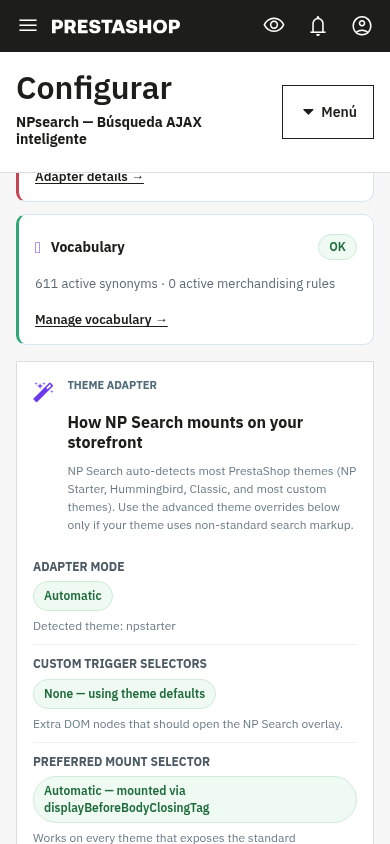 Mobile admin layout remains usable without layout overlap
6. Verified Result
- Both packages passed
unzip -tq. - Both packages passed PHP lint after the dashboard translation helper fix.
- PS8 and PS9 backoffice configuration pages opened successfully.
- PS8 and PS9 dashboard tabs opened successfully.
- Public direct downloads match the package SHA256 values listed above.
- Screenshot assets were captured from live demo backoffices, with cron token examples redacted before publishing.